Every domain you purchase from us is going to have its status as locked. This state ensures its security against unsolicited transfers and protects your rights as the domain owner. We highly recommend keeping this enabled at all times unless you are planning to migrate your domain name.
To unlock it, please follow these steps:
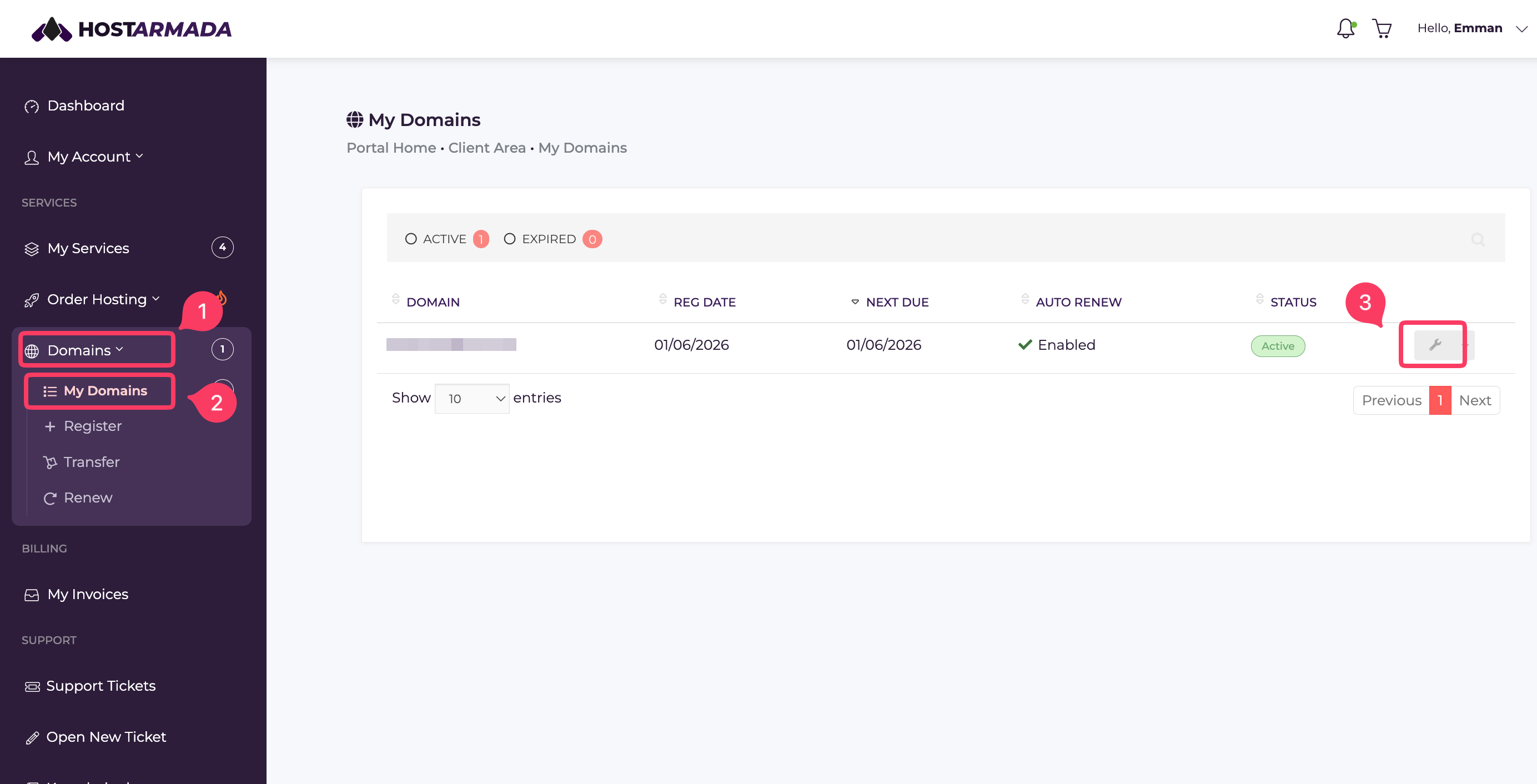
- Go to your Client Area, and click on Domains -> My Domains. You’ll be taken to a page displaying all the domain names registered with us.
- Find the domain you want to unlock, then click the corresponding wrench icon to open its details page.
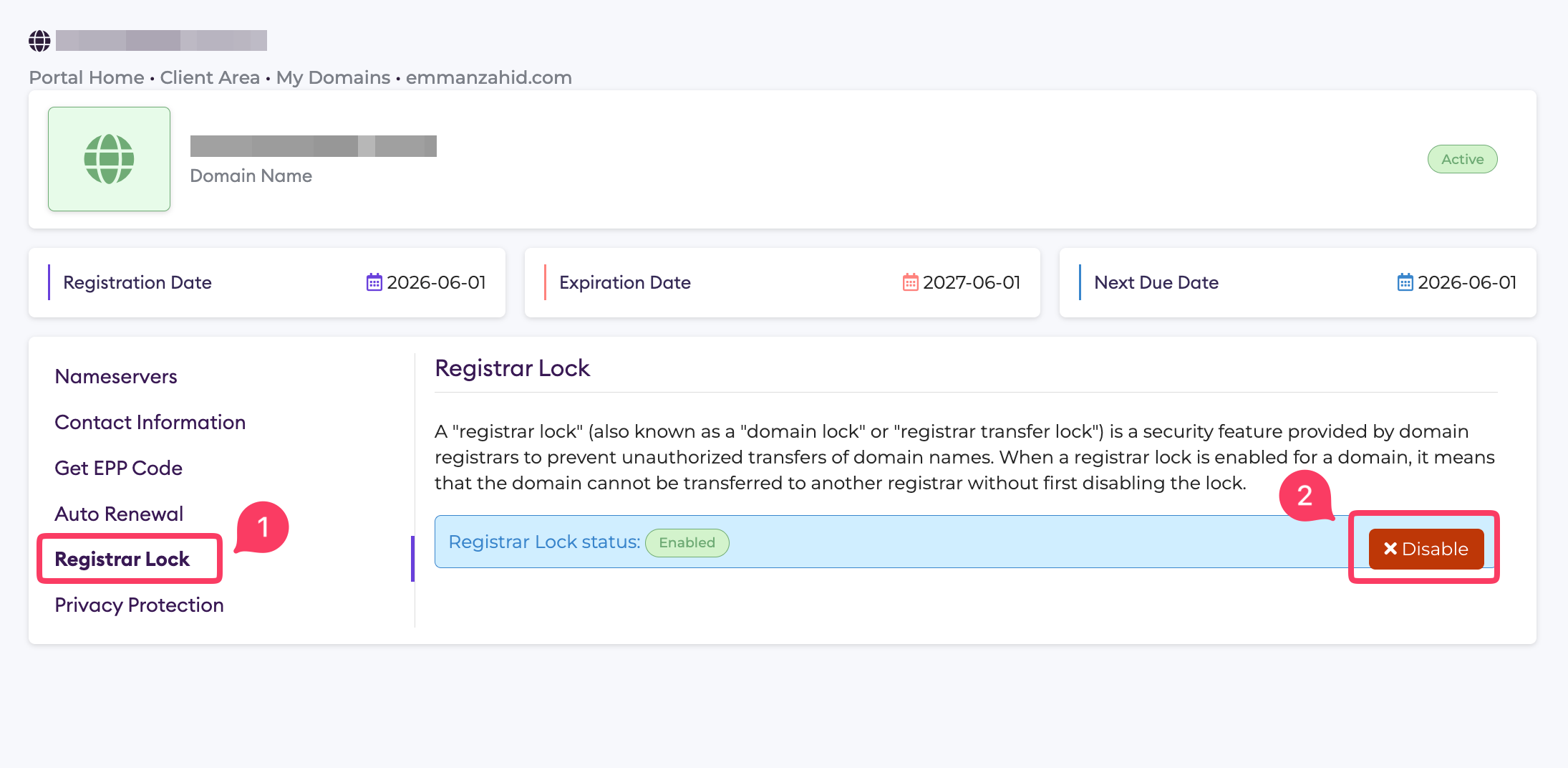
- Click on Registrar Lock from the left-hand side menu; you'll see your Registrar Lock status. Click on the Disable button to unlock your domain.
Note that the above explanation applies if you purchased your domain through us. If you have not bought your domain from HostArmada, please contact the third-party service provider and ask them to unlock it for you.
