
Learn Website Builder
 Last
Updated: 08/19/2026
Last
Updated: 08/19/2026
 ( 3 minutes reading )
Starting a website is always challenging. From picking the programming language to choosing the design or writing the content, every part of the work needs attention to build a lasting user experience with outstanding design and functionality. You may find yourself lost, since not everyone is a specialist in every part of the process.
Fortunately, HostArmada's website builder resolves this issue by combining an easy-to-use website builder with the power of the cPanel control panel.
To start using HostArmada's website builder (SitePad Website Builder), you will first have to access it. If you are not sure how, please check our tutorial.
Once you access the SitePad Website Builder, you will see the Builder's main page, also called the Dashboard.
The design is plain and simple, and you may recognize the structure since most other administrative interfaces use it. The main menu, which contains all the options the Website Builder offers, is positioned vertically on the left side of the page, while the page content fills the remaining space. At the top, you will find a horizontal menu with tools to help you manage the website you build with this builder, as well as your user profile.
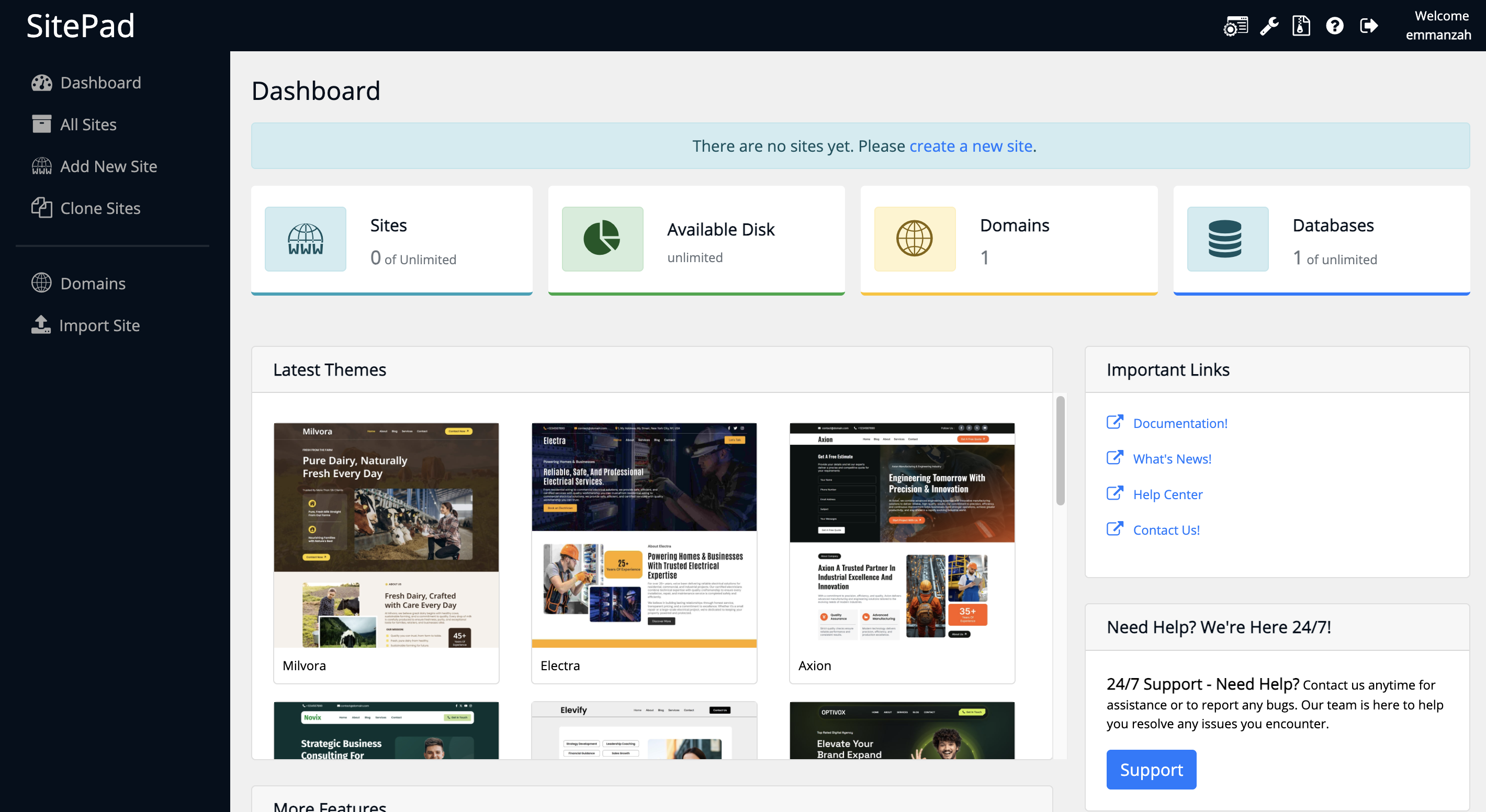
If this is your first time visiting the website builder, you will be prompted to choose a Theme for your website. Please note that you can't create pages or utilize the Builder itself without choosing a theme for your website. You can choose a template from the list shown on the Dashboard page.
You can browse several theme categories and find the one that best matches your needs. Once you find the theme, click the Activate button. The Builder will then load all the theme's components and redirect you to the theme editor.
Please bear in mind that the default selected domain for which you will be creating a website will be the primary domain for your Web Hosting Account.
That's it! You have successfully created your first website. Of course, you can do much more with the Builder, and to get fully familiar with it, we strongly suggest you review the other tutorials on the topic.

Emman is a Content Manager at HostArmada where she helps make complex topics accessible for readers around the world. With 5+ years of experience in crafting SEO content, she’s passionate about making tech topics easy to understand. In her free time, Emman enjoys traveling and watching Formula 1/E races.
Learn more about Website Builder in the other tutorials that we have:
