
Learn Client Area
 Last
Updated: 03/30/2026
Last
Updated: 03/30/2026
 ( 7 minutes reading )
WordPress is the most widely used content management system in the world, powering millions of websites worldwide. Its popularity, however, also makes it one of the most frequently targeted platforms for malicious activity, automated attacks, and vulnerability exploitation.
At HostArmada, security has always been one of our highest priorities. Over the years, we have implemented a wide range of server-level protections designed to safeguard our customers’ websites, including advanced web application firewalls, malware scan and removal, and proactive monitoring systems. Despite these protections, vulnerabilities in unmaintained WordPress plugins and themes remain among the most common attack vectors for hackers to damage and disrupt websites.
Introducing Armada V-Shield!
Armada V-Shield (powered by Patchstack) is a robust security add-on service that enhances the security of your WordPress website. The addon works by installing a plugin on your WordPress website that immediately begins scanning for known vulnerabilities in plugins, themes, and core components. Any detected issues are then reported directly to the Armada V-Shield interface in your Client Area, where you can easily review and manage them.
This add-on provides an additional layer of protection by helping shield your website from known vulnerabilities in WordPress plugins. With Armada V-Shield in place, you gain an extra layer of security to protect your website while you focus on building and managing your content.
In this tutorial, we will go through the process of purchasing the add-on for both existing and new customers.
Without further ado, let’s get started!
Тhe Armada V-Shield add-on can be purchased from the convenience of your Client Area. To begin, please make sure to log in using our tutorial on How to Access the HostArmada Client Area.
If you are unsure whether your package supports this addon, please contact our sales agents via the live chat on our website. They will be more than happy to guide you towards setting up this addon booster for your WordPress website!
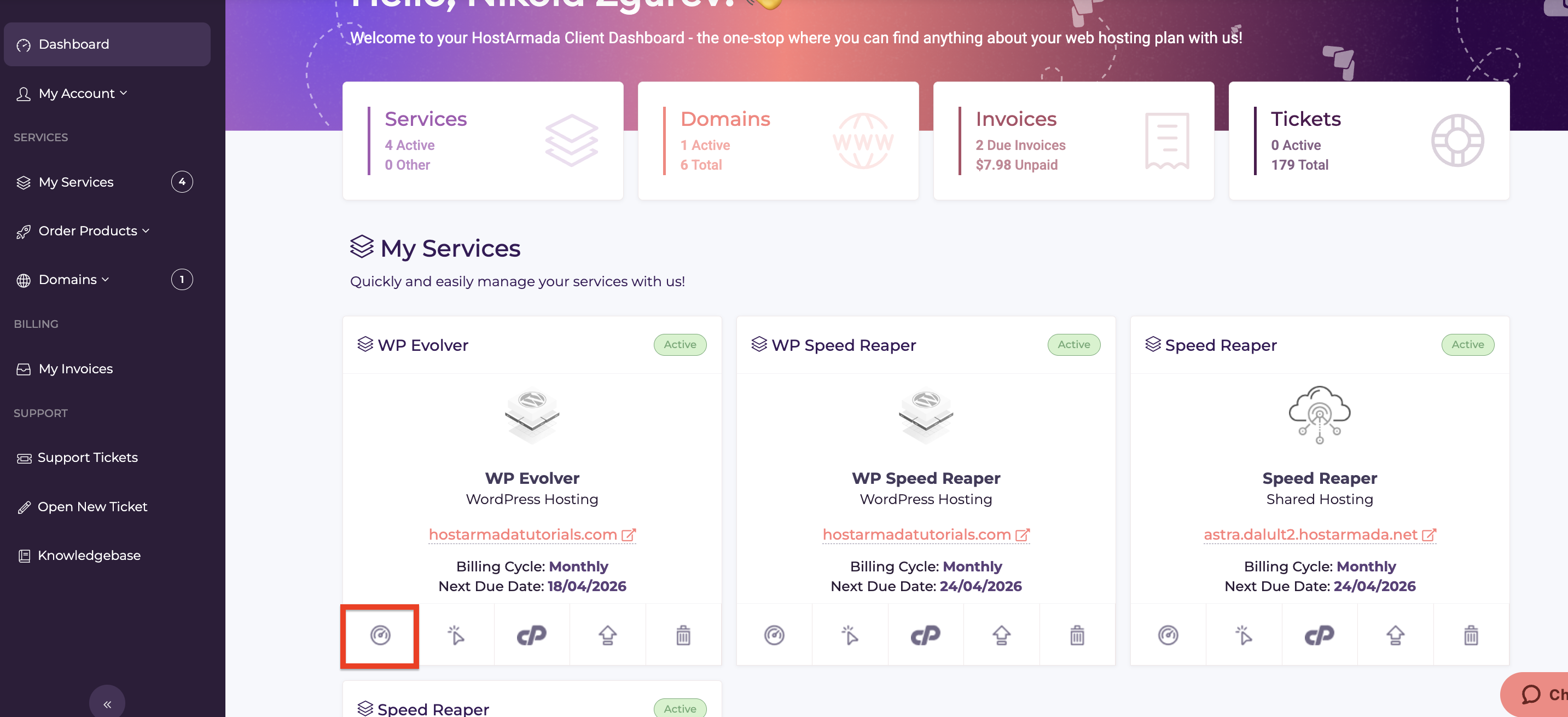
To purchase the Armada V-Shield add-on for your hosting package, please click the “Service Management Icon” for the web package you want to add the addon for, located in the bottom left corner of the respective web hosting package.
Performing this action will open the web hosting product management page. Please scroll down to the “Addon Boosters” section, where you will see your current add-ons.
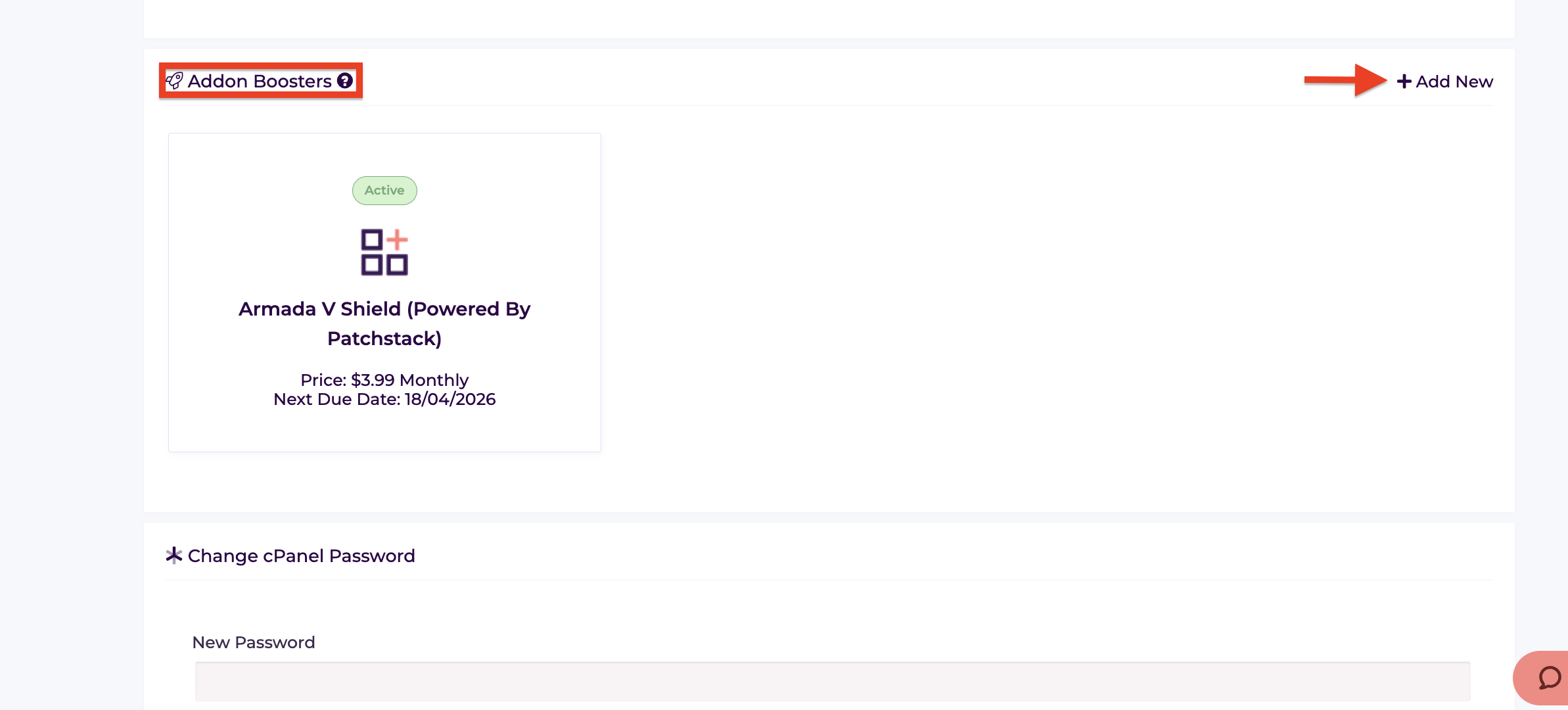
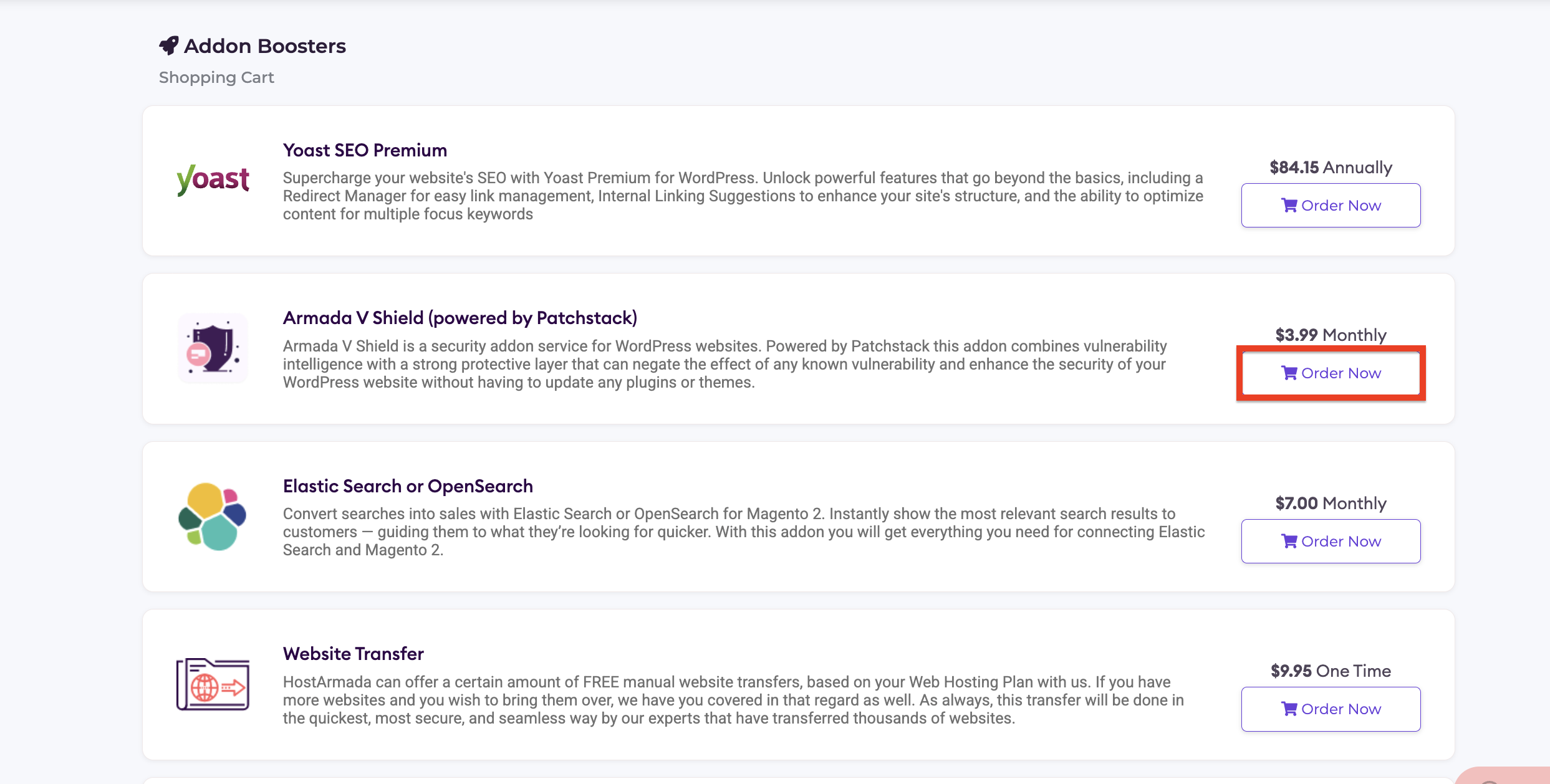
Please click the “+ Add New” button in the top-right corner. Doing so will redirect you to the add-on marketplace. Locate the Armada V-Shield add-on and click “Order Now.”
Performing this action opens a pop-up window where you can select the domain you want to enable the add-on for.
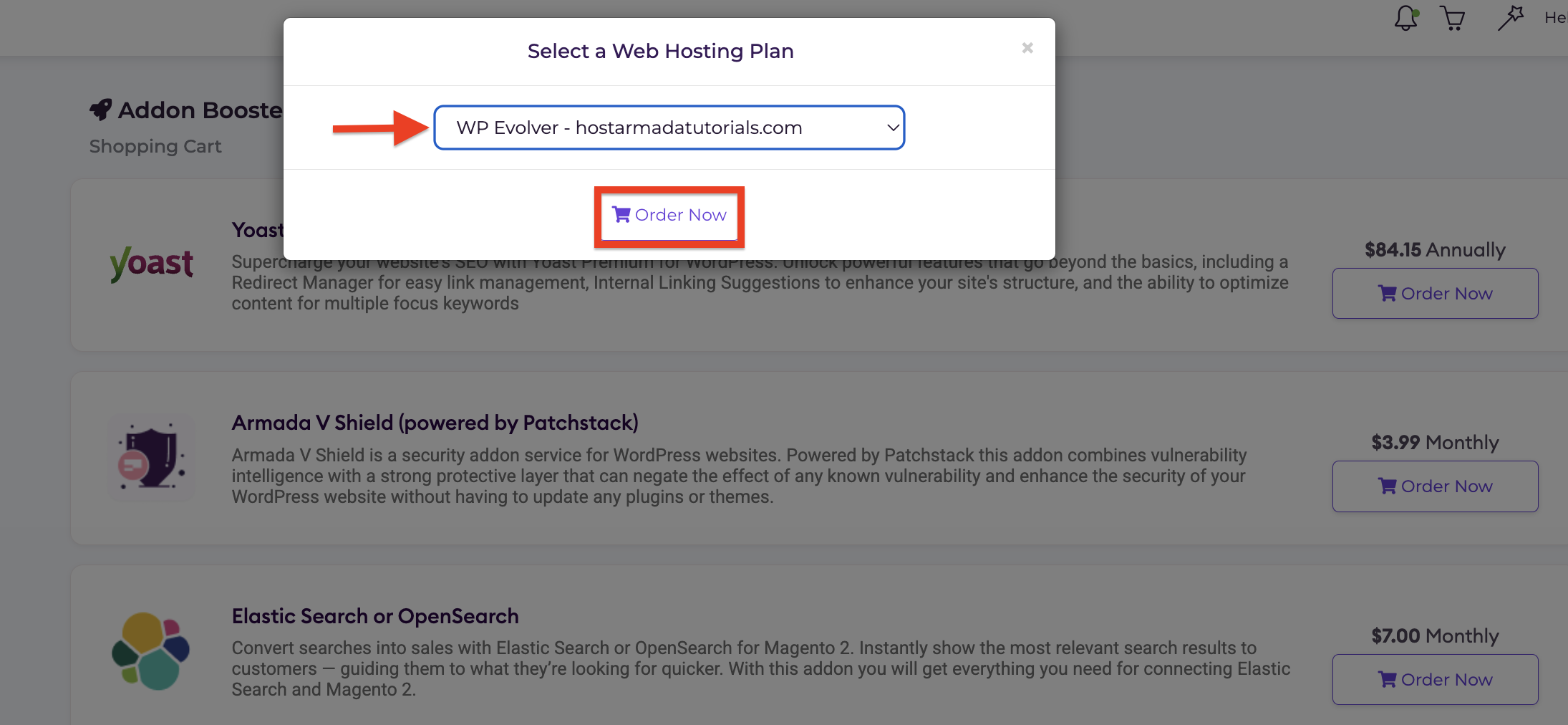
When that is done, the add-on will be available for use with the specific web hosting package you select immediately. Please go back to your web hosting package management panel to activate it.
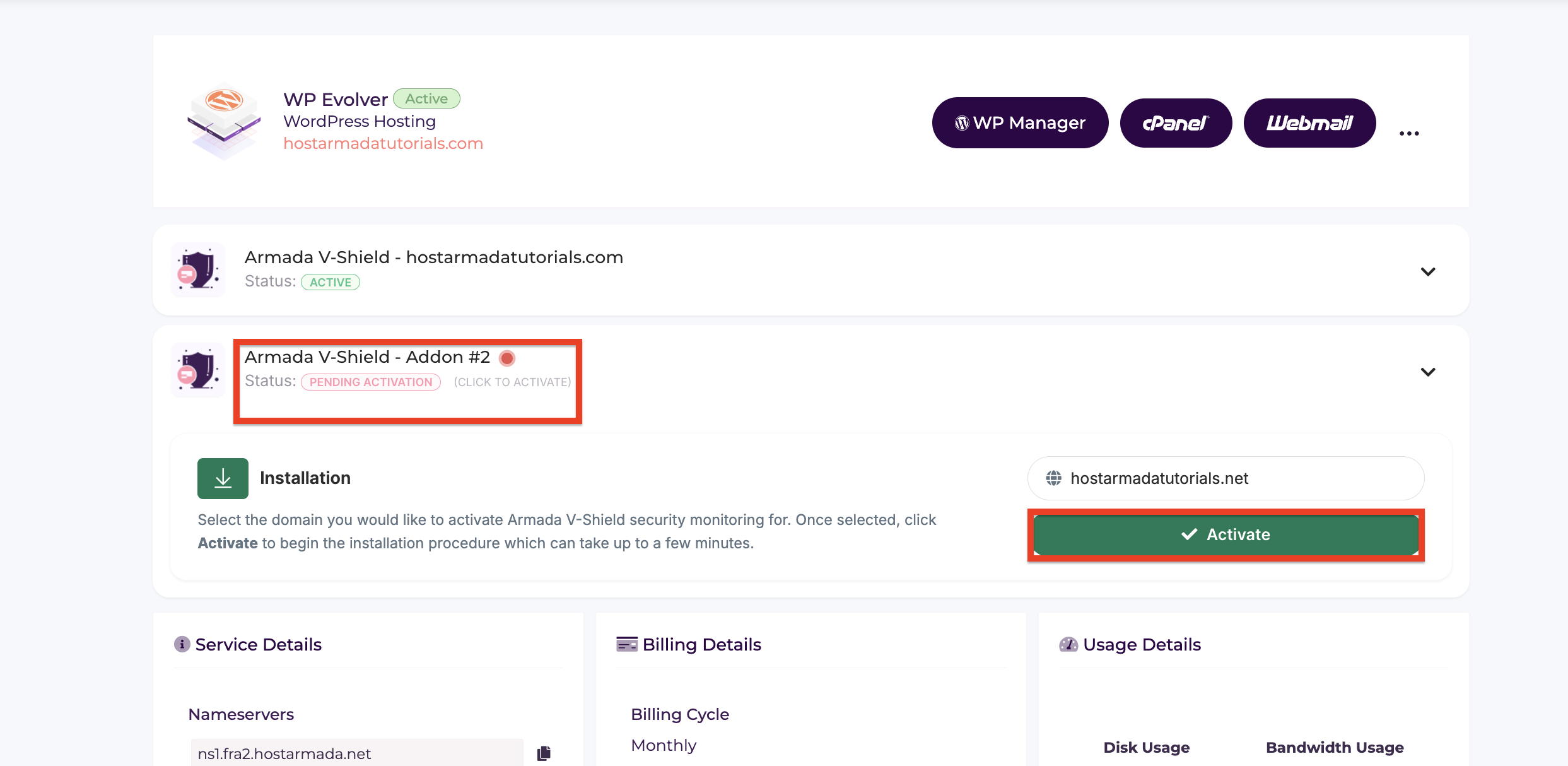
Now that you have purchased the add-on, you will see that the Armada V-Shield is ready to be activated. To do that, you can select a domain name from the drop-down menu and click on the “Activate” button.
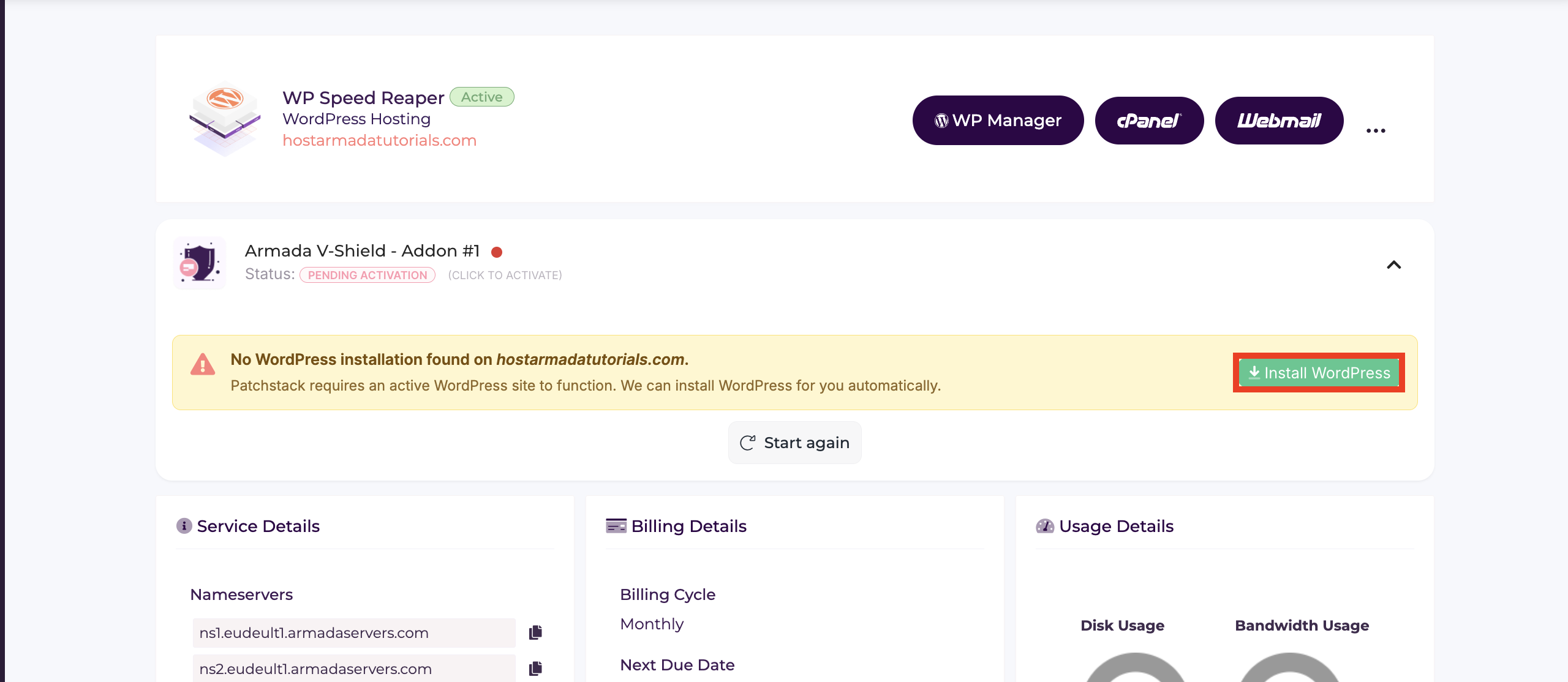
Doing this will scan the domain for an active WordPress installation. If such is not present, you will receive a prompt to install a fresh WordPress. To proceed, please click on the “Install Wordpress” button, located inside the yellow notification bar.
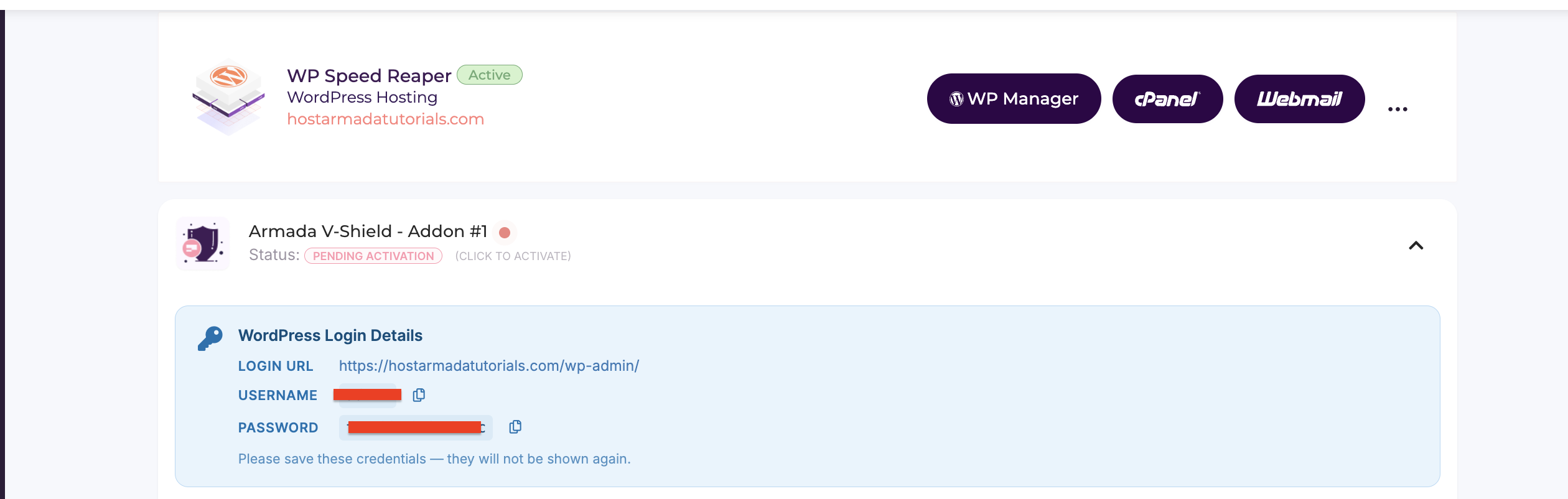
After a brief time, WordPress will be installed, and the Armada V-Shield add-on will be activated on it. You will also receive your admin login credentials.
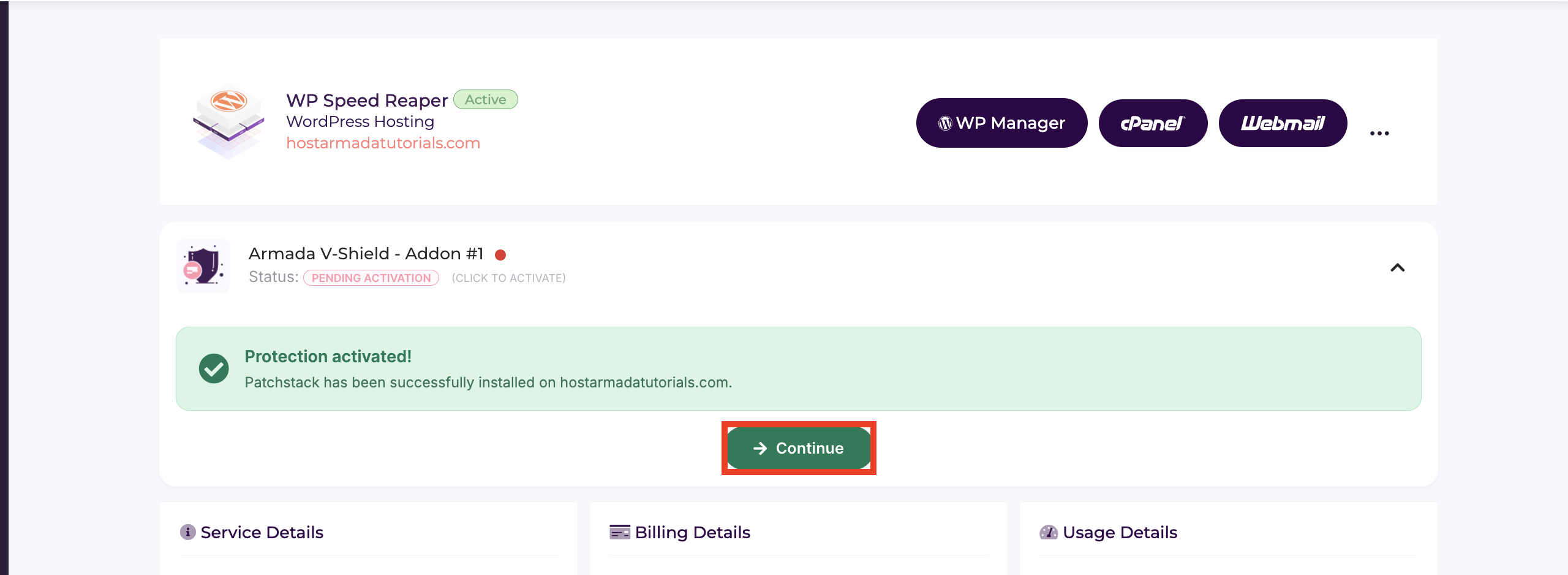
If you already have WordPress installed on the domain, you will see a brief loading animation indicating that the V-Shield add-on is being installed. When the installation process is complete, you will see a green notification bar showing that PatchStack has been activated. To proceed to the addon's interface, please click on the "Continue" button underneath the green notification bar.
Performing the action above will take you to the package management area, where you can review the addon booster’s interface by pressing the down-pointing arrow corresponding to the addon you have set up for your website.
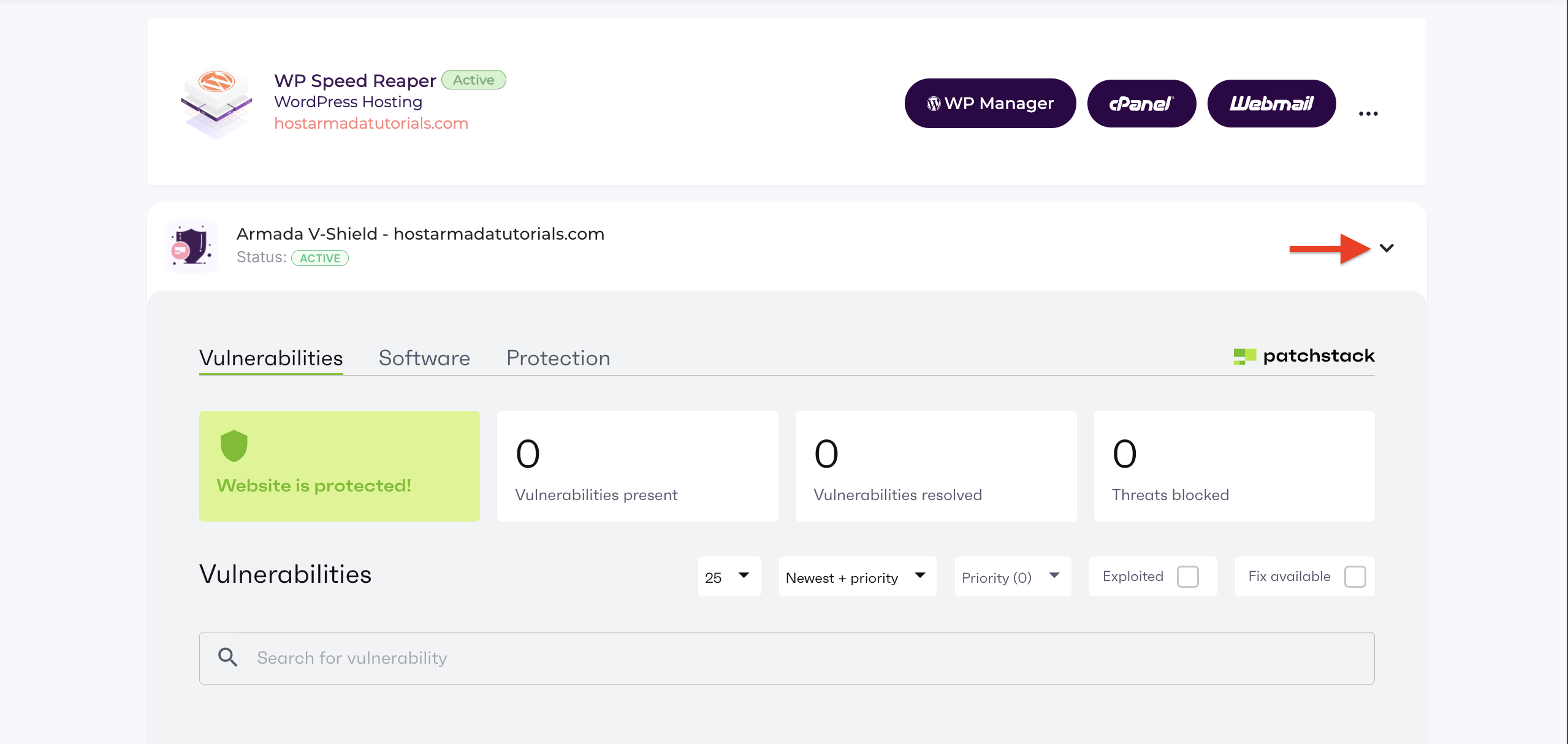
All security features of the Armada V-Shield add-on will be organized into three distinct tabs. We will go over these tabs in a separate tutorial.
There you have it! A straightforward activation process that you can follow to set up our Armada V-Shield addon booster. If you have any questions about this product or need assistance getting started, please feel free to contact our sales team through the live chat feature on our website. They will be delighted to assist you in any way possible!
For an overview of the add-on and how it works, please check out the tutorial: Armada V-Shield Overview.

Nikola is an accomplished tech-savvy extraordinaire with over six years of experience in the web hosting field. He started as a customer care representative and quickly rose the ranks to become a support supervisor and, eventually - the head of the technical department in HostArmada. His deep understanding of the client's needs, combined with his technical knowledge, makes him the perfect man to create the ideal harmony between client satisfaction and professional problem-solving. You will often find him creating helpful tutorials, articles, and blog posts that help existing customers get around.
Learn more about Client Area in the other tutorials that we have:
