Yes. For HostArmada services, you can use as many cards as you like.
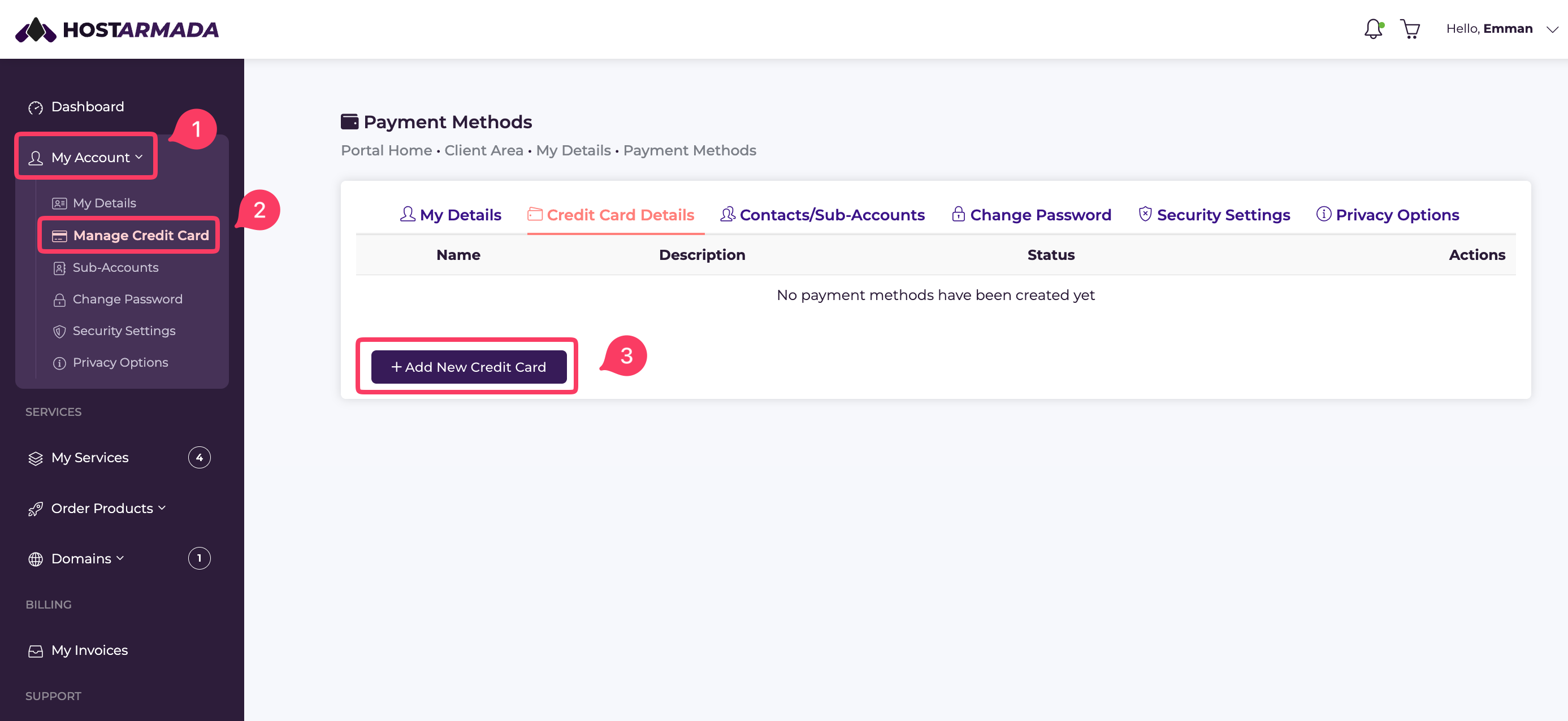
Navigate to your client area and select My Account -> Manage Credit Card. On the next screen, click Add New Credit Card.
Here, you can add your credit card information.
Each of the credit cards you have added to your account will have a button “Set as Default” on the right side of the screen. Once you’ve chosen a default one, it will be used for automatic payments.
Whenever you want to use another card instead of the one you currently have selected as a default one, simply select the “Set as Default” option right next to that specific card.
