To turn off automatic renewal for your services with HostArmada, you will need to submit a cancellation request at the end of your billing cycle.
From your client area, you can only stop automatic renewal for your domain services.
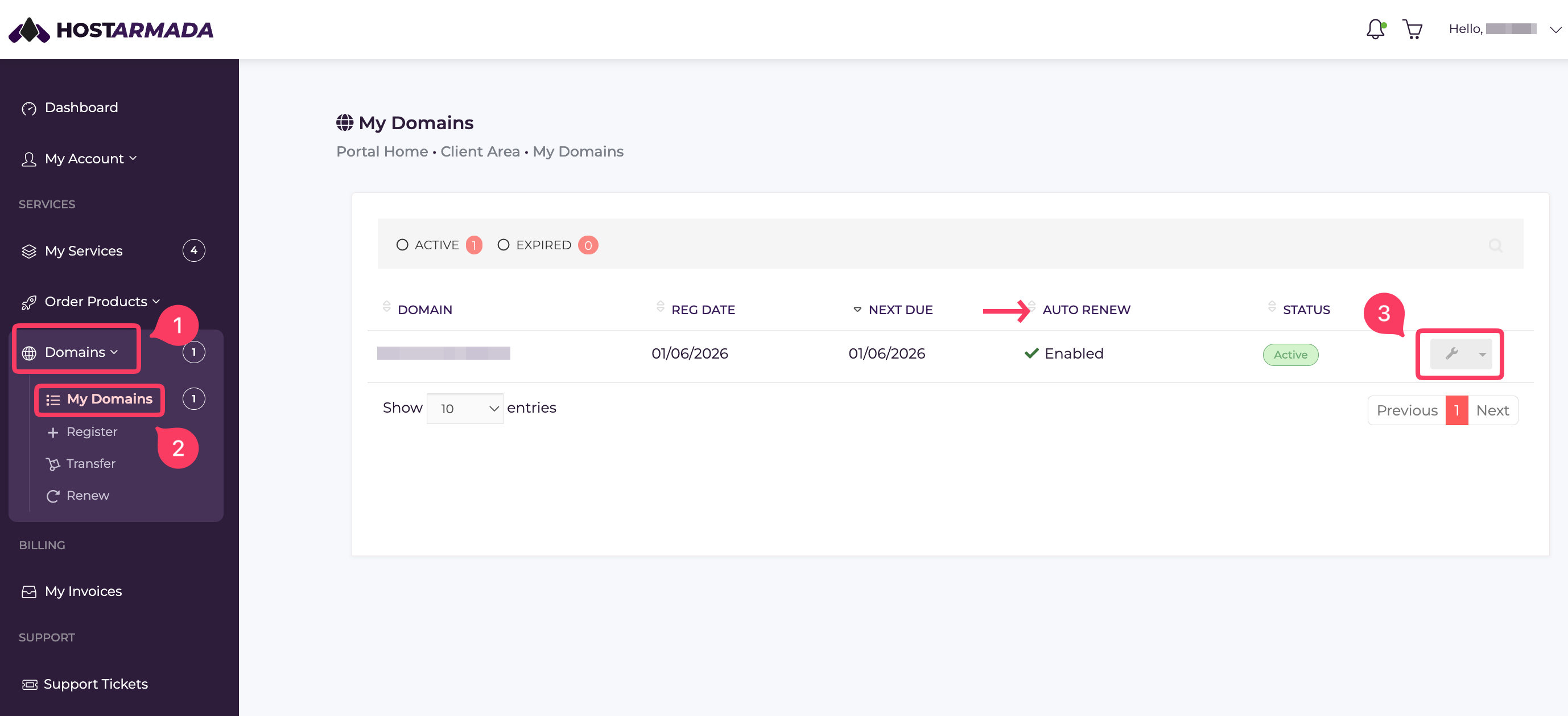
- To disable auto-renewal for your domain, go to your Client Area -> Domains -> My Domains.
- Under AUTO RENEW, you'll see the status of your auto renewal. If it's on, it'll display Enabled, and if off, Disabled.
- To disable your auto-renewal, click on the drop-down near the settings icon.
4. From the next screen that appears, go to Auto Renewal and select the Disable button.
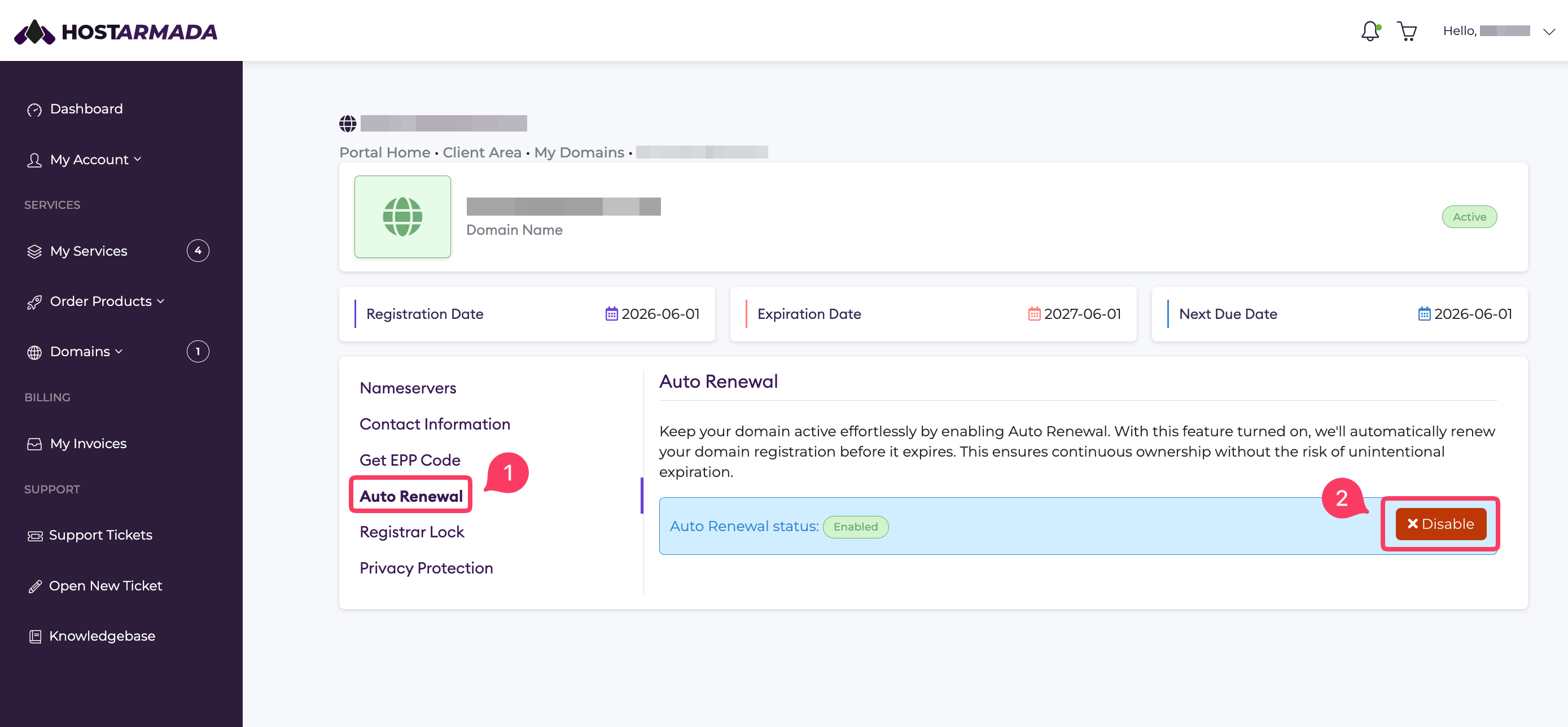
And that's it!
Note: Please remember that if you disable auto-renewal for your domain name, the system will not automatically generate an invoice, and you might miss your domain renewal.
