Mod_security, also known as Modsec, is an open-source web application firewall (WAF). It features a toolkit for real-time monitoring, logging, and access control for web applications and is quite flexible regarding the ruleset that can be applied. We have a custom-tailored set of rules on our shared servers that aim to prevent a wide range of attacks at the web application level.
By default, mod_security is enabled on all our servers; however, there are situations where you might want to disable it if you are unable to execute specific scripts or run your application because they trigger one of the rules we have configured.
To disable it, follow these steps:
- Log into your cPanel account. If you are not sure how to do this, please follow our tutorial.
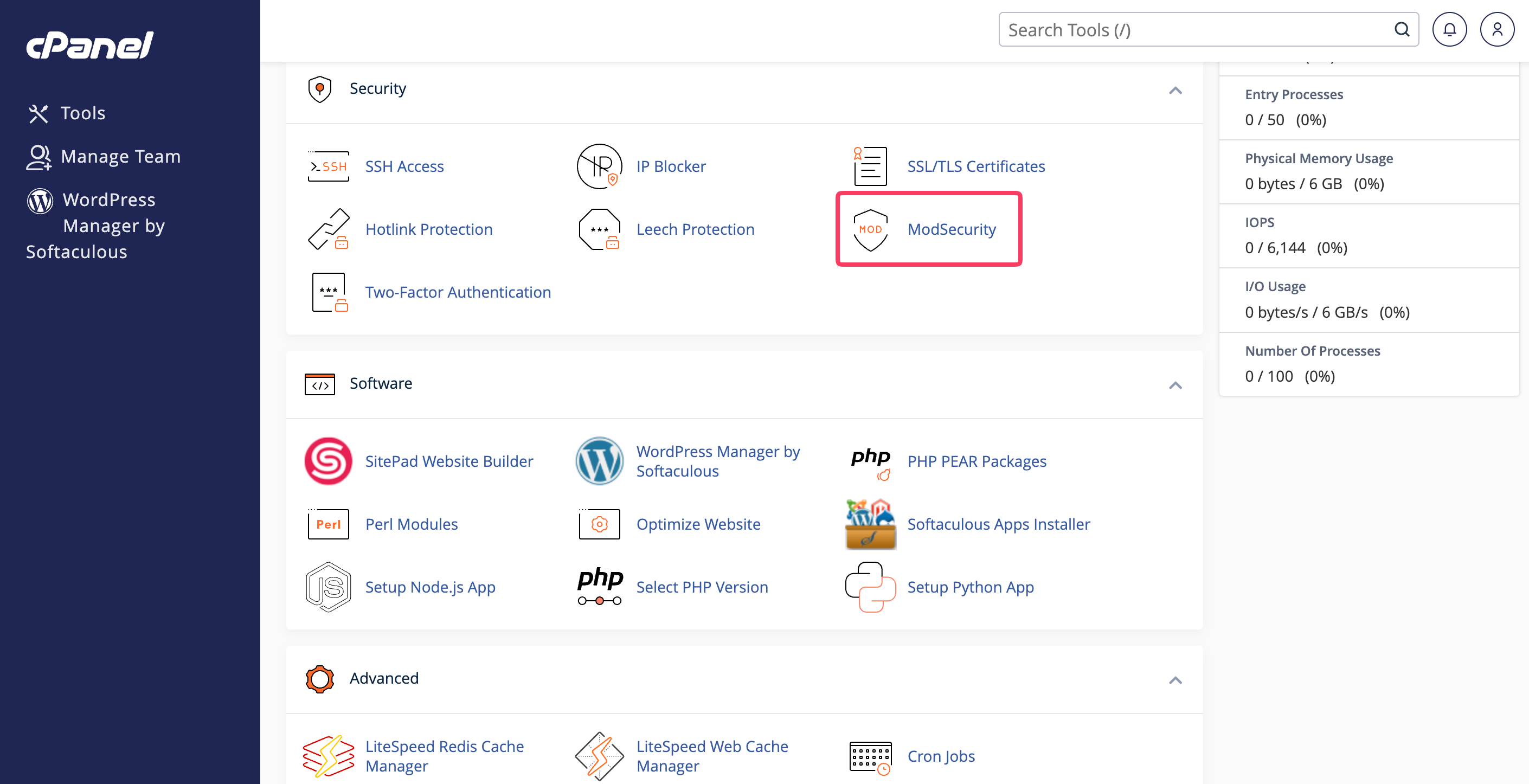
- Scroll down, navigate to the Security section, and click on ModSecurity.
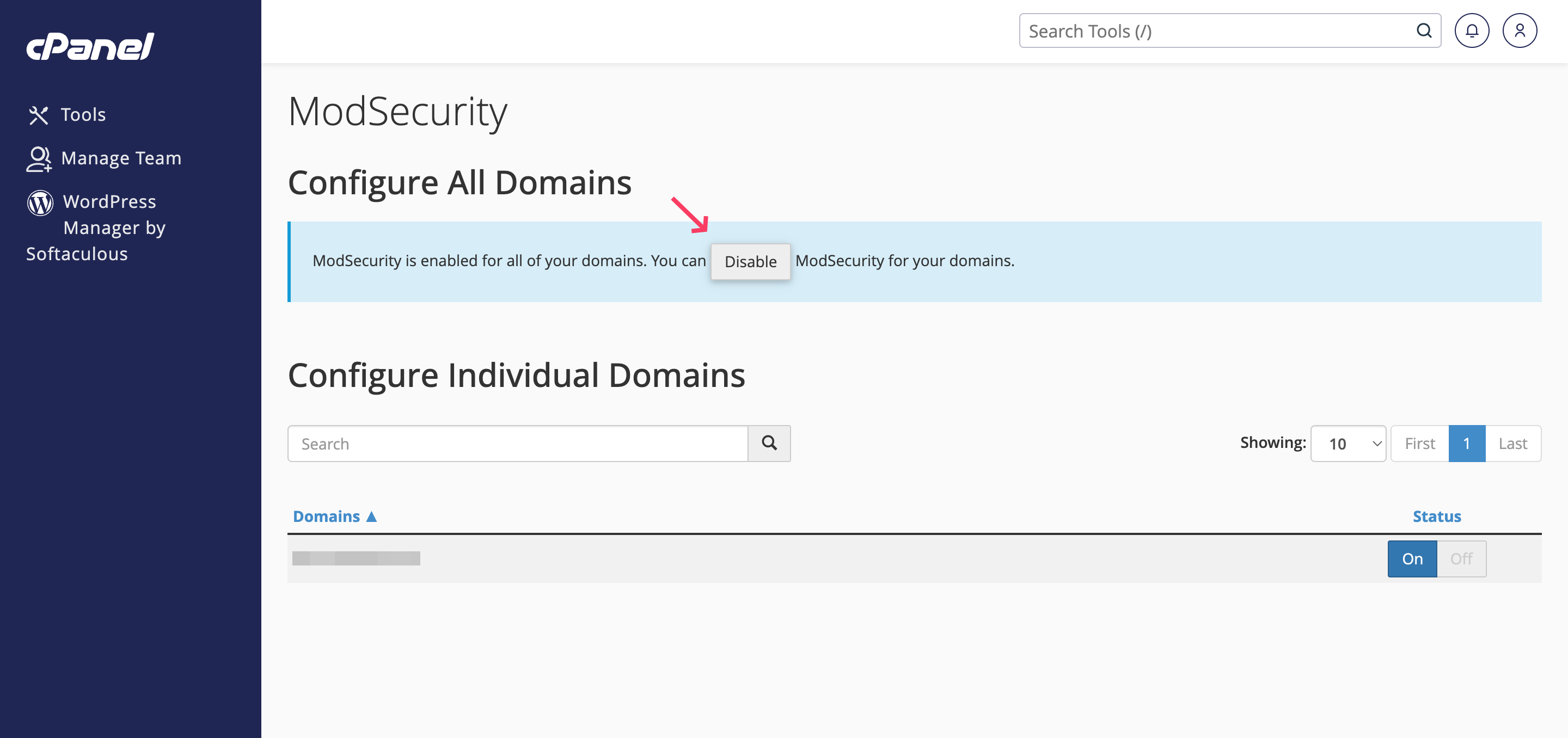
- You will be redirected to a page containing a list of all your domains on the server. To disable mod_security for all domain names, please press the "Disable" button at the top of the screen.
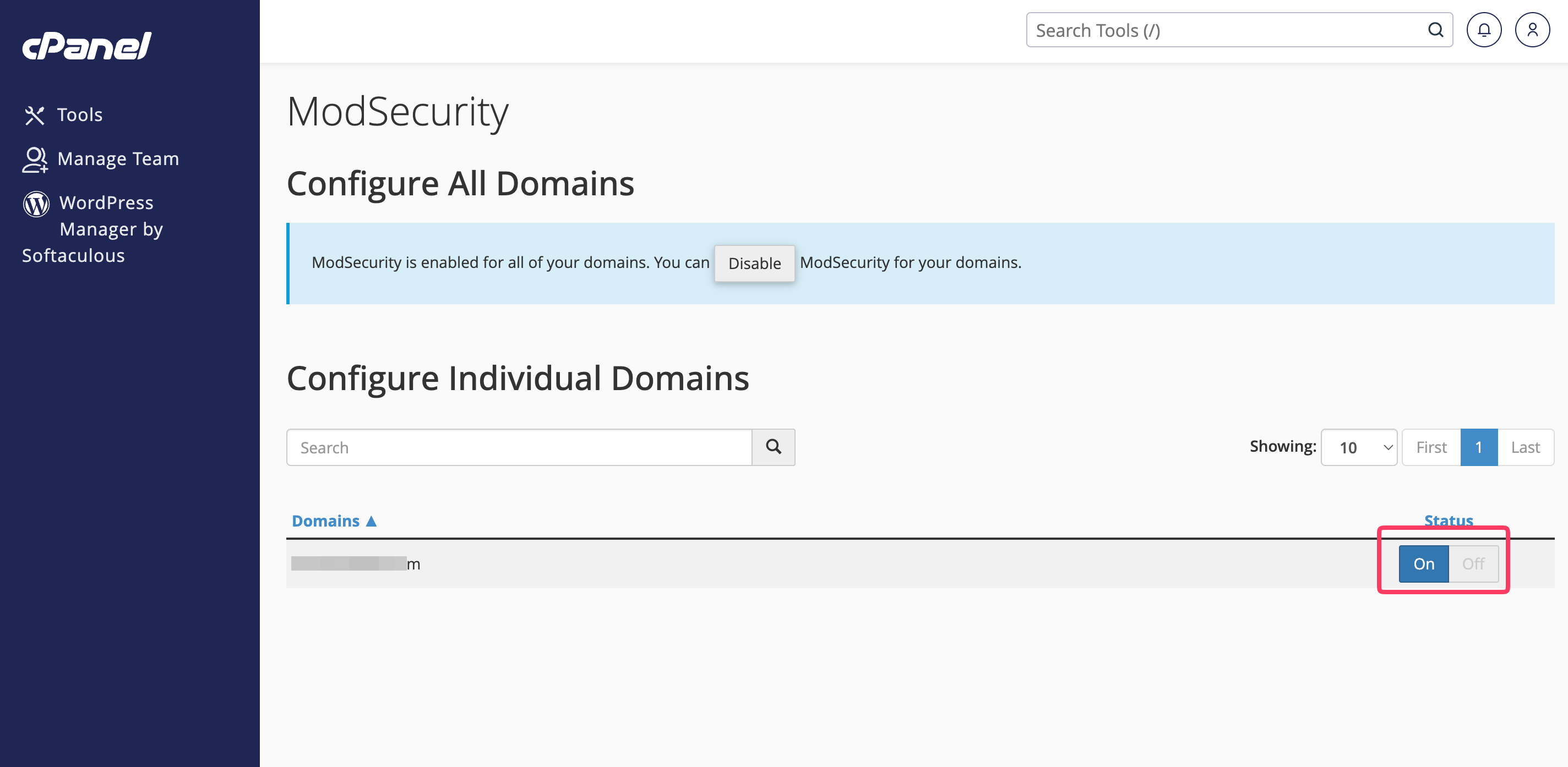
- If you want to disable Modsec for an individual domain name, please use the toggle switch and set it to "Off". This toggle switch is located on the right side of the table section corresponding to the domain you wish to modify.
Once this is done, you will receive a green textbox on the top right corner, notifying you that the service has been turned "Off".
