
Learn MCP
 Last
Updated: 11/12/2026
 ( minutes reading )
Connecting Zed to your HostArmada account takes a few minutes. Once it's connected, you can check your invoices, hosting services, domains, and support tickets from Zed's Agent Panel while you work. For example, you can open a support ticket about a site issue without leaving your editor, and approve every change before it happens.
You need three things:
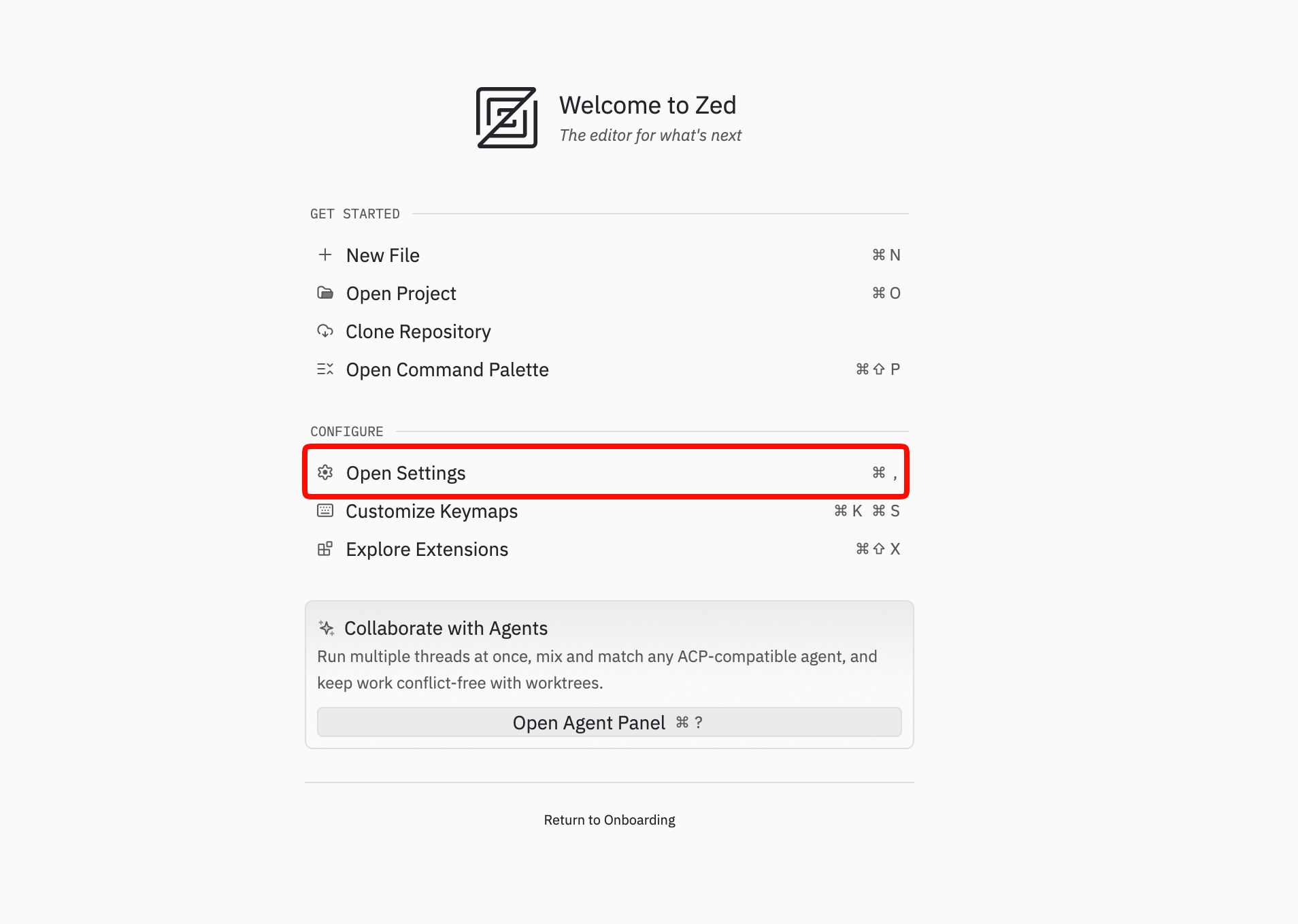
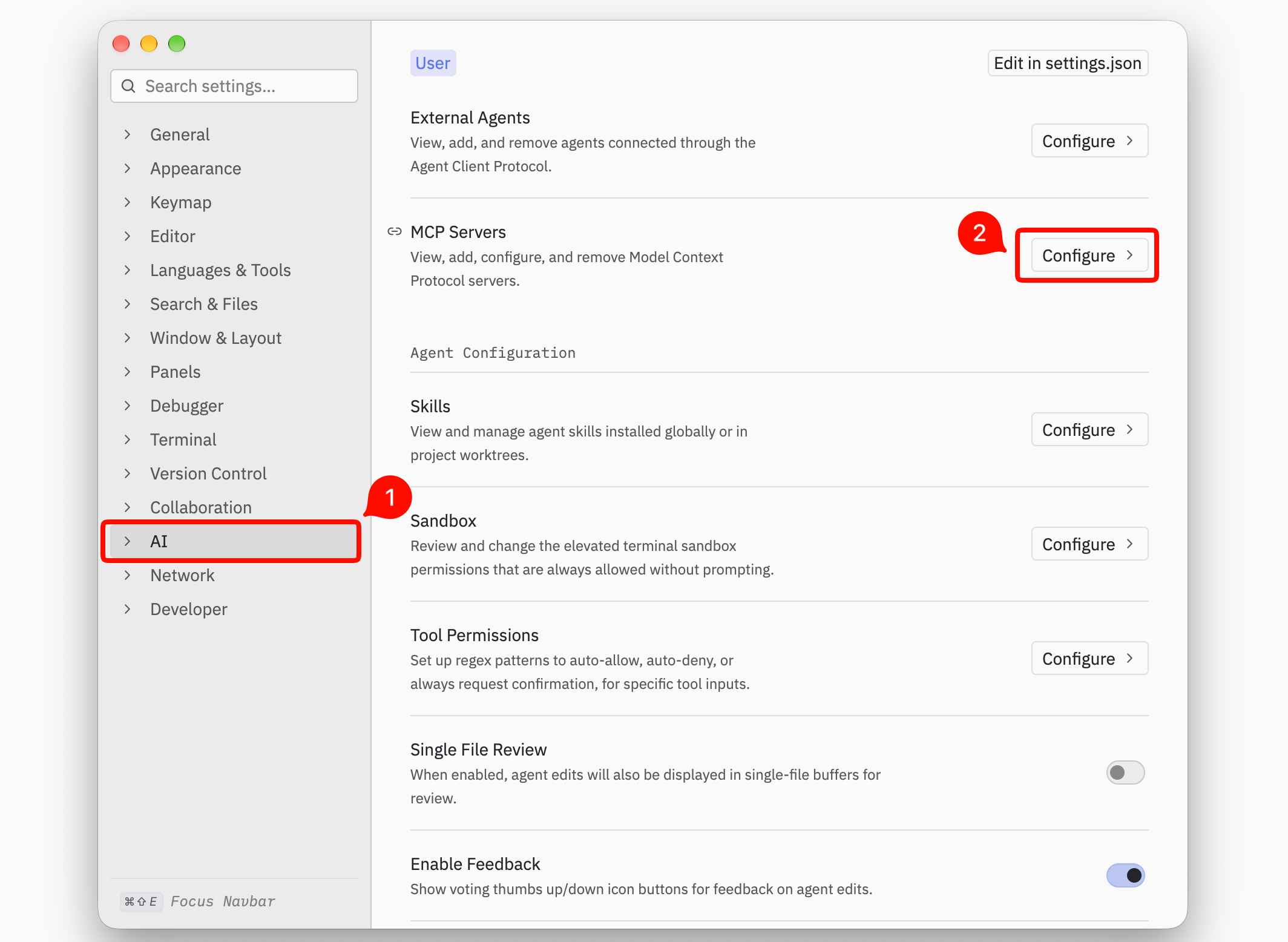
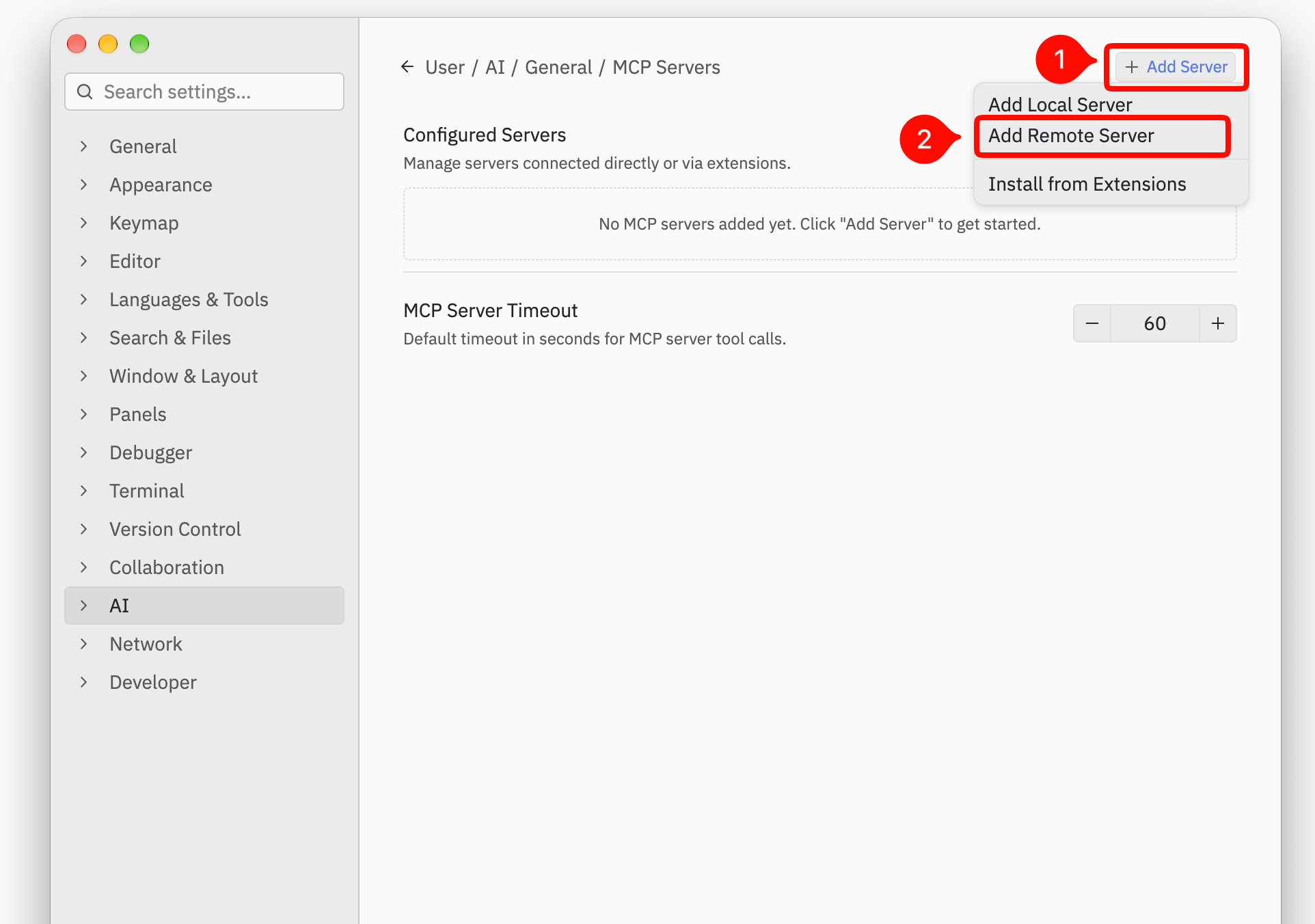
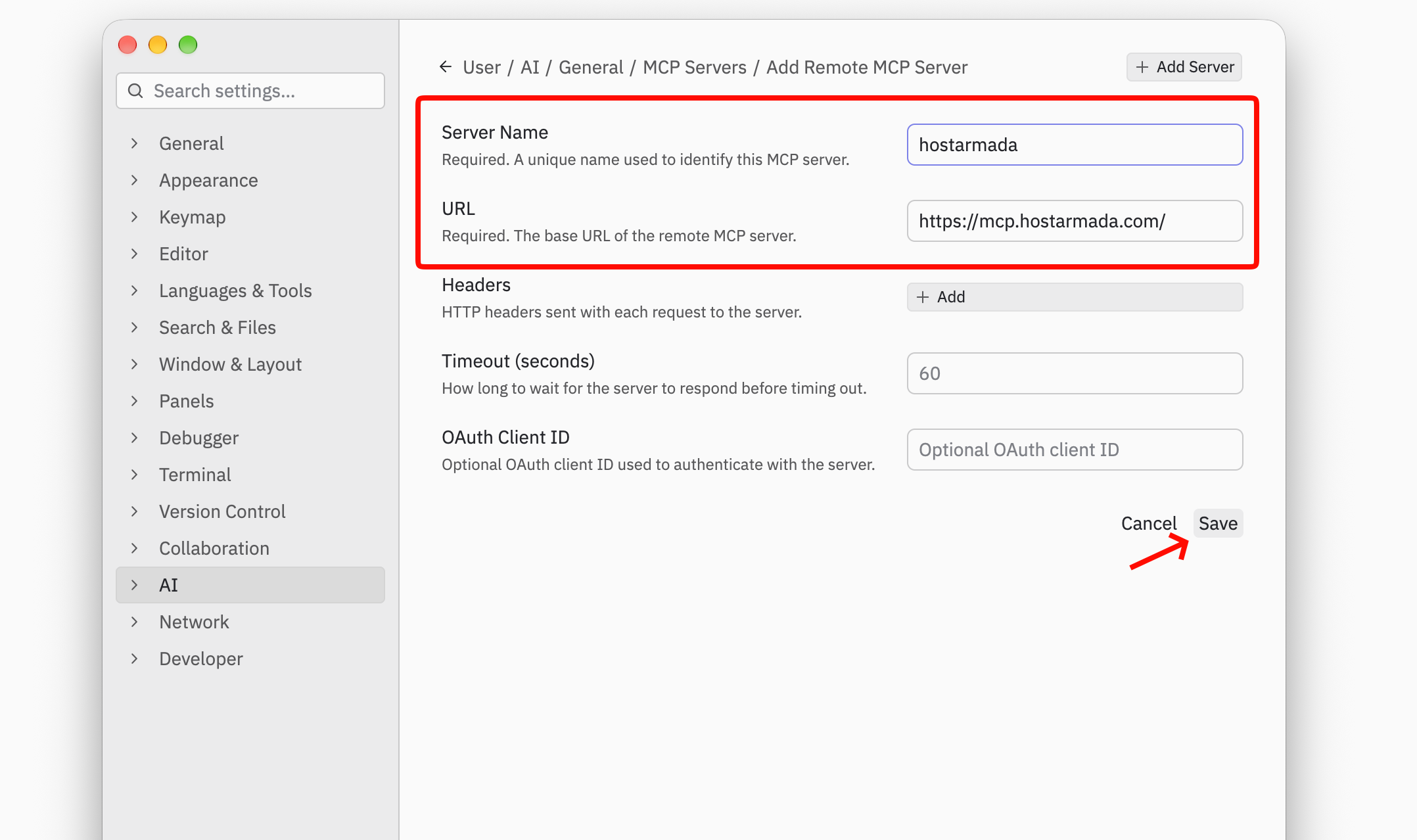
Zed will add the HostArmada connector to your settings.
Because the HostArmada connector has no API key set, Zed asks you to sign in the first time it connects.
Note: Zed never sees your HostArmada password. You sign in on HostArmada's own page.
The agent replies with your profile, credit balance, active services and domains, unpaid or overdue invoices, and open tickets. Nothing in your account changes. This is a good check that the connection works.
Zed can also run external agents, such as Claude Code, in the Agent Panel. Zed passes the HostArmada connector you added to these agents too, so you don't need to set it up again for each one. Some external agents also read their own settings. For Claude Code, see our Claude Code tutorial.
To pause or remove the HostArmada connector, go to Settings > AI > MCP Servers and find hostarmada in the list. From there, you can switch it off or delete it.
You can also run zed: open settings file from the Command Palette, delete the "hostarmada" entry under "context_servers", and save. You can add it again at any time.
|
Problem |
What to do |
|
The dot next to hostarmada isn't green |
Hover over the dot to see the error. Check that the URL is exactly https://mcp.hostarmada.com/ and that no headers are set, then sign in again with the account owner's login. |
|
Zed never asks me to sign in |
Make sure the HostArmada entry has no Authorization header. Zed only starts the browser sign-in when no header is set. |
|
I can't find MCP Servers in Settings |
Update Zed to the latest version. Older versions use an Add Custom Server button in the Agent Panel's settings instead. |
|
The agent doesn't use my HostArmada account |
Name the HostArmada connector in your request, for example, "Use the HostArmada connector to show my open tickets." Results can vary between AI models. |
|
The agent can't find another customer's account or domain |
That's by design. The HostArmada connector only works with the account you signed in with. |
|
The agent says I've hit a limit |
Wait a moment and try again. You can make up to 60 requests per minute, and up to 5 domain lookups per minute (60 per hour). Opening and replying to tickets have their own limits. |
Need help?
If you get stuck, feel free to open a ticket or chat with HostArmada support. Tell us which AI app you're using and the step where you got stuck. Our team is ready to assist you 24/7.

Emman is a Content Manager at HostArmada where she helps make complex topics accessible for readers around the world. With 5+ years of experience in crafting SEO content, she’s passionate about making tech topics easy to understand. In her free time, Emman enjoys traveling and watching Formula 1/E races.
Learn more about MCP in the other tutorials that we have:
